
HYPD won’t connect after Google sign-in
Cause: the permission checkbox on Google’s consent screen wasn’t ticked. Google shows it unchecked by default, if you click Continue without ticking it, the connection silently fails. Fix: sign in again, and on the “HYPD_AI wants access to your Google Account” screen, tick the checkbox next to the Google Ads permission before clicking Continue.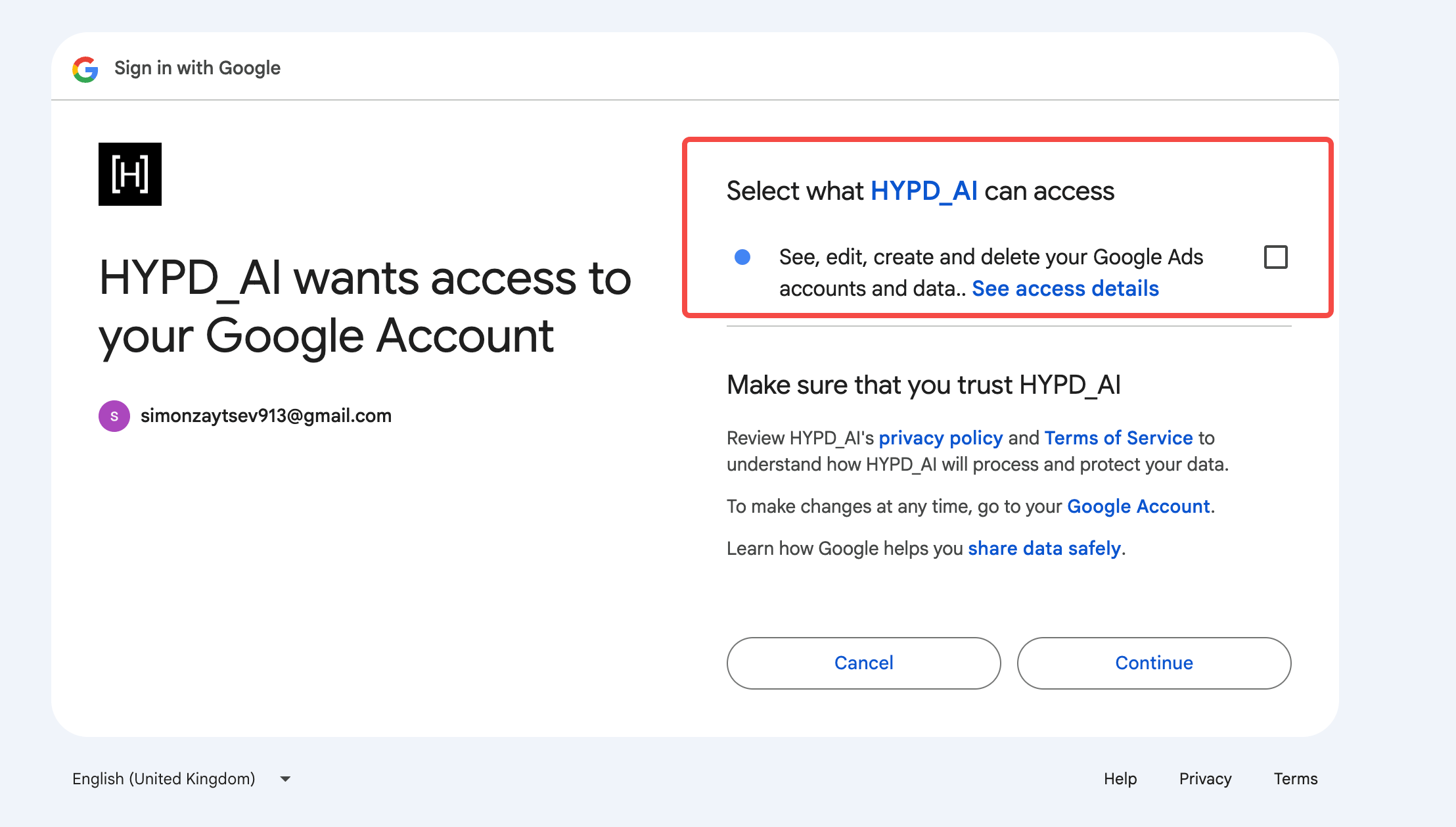
Google’s wording says “see, edit, create and delete” that’s the only permission scope Google offers for Ads accounts. HYPD only ever reads your data. It never edits, creates, or deletes anything.
A connected account isn’t showing up
Cause: HYPD lets you control which accounts are visible to its tools. If an account is toggled off under Manage Google Ads accounts, it stays connected but is hidden from HYPD. Fix: go to Clients → Manage Google Ads accounts and toggle the account on. The same place works in reverse, toggle off any account you don’t want HYPD to see.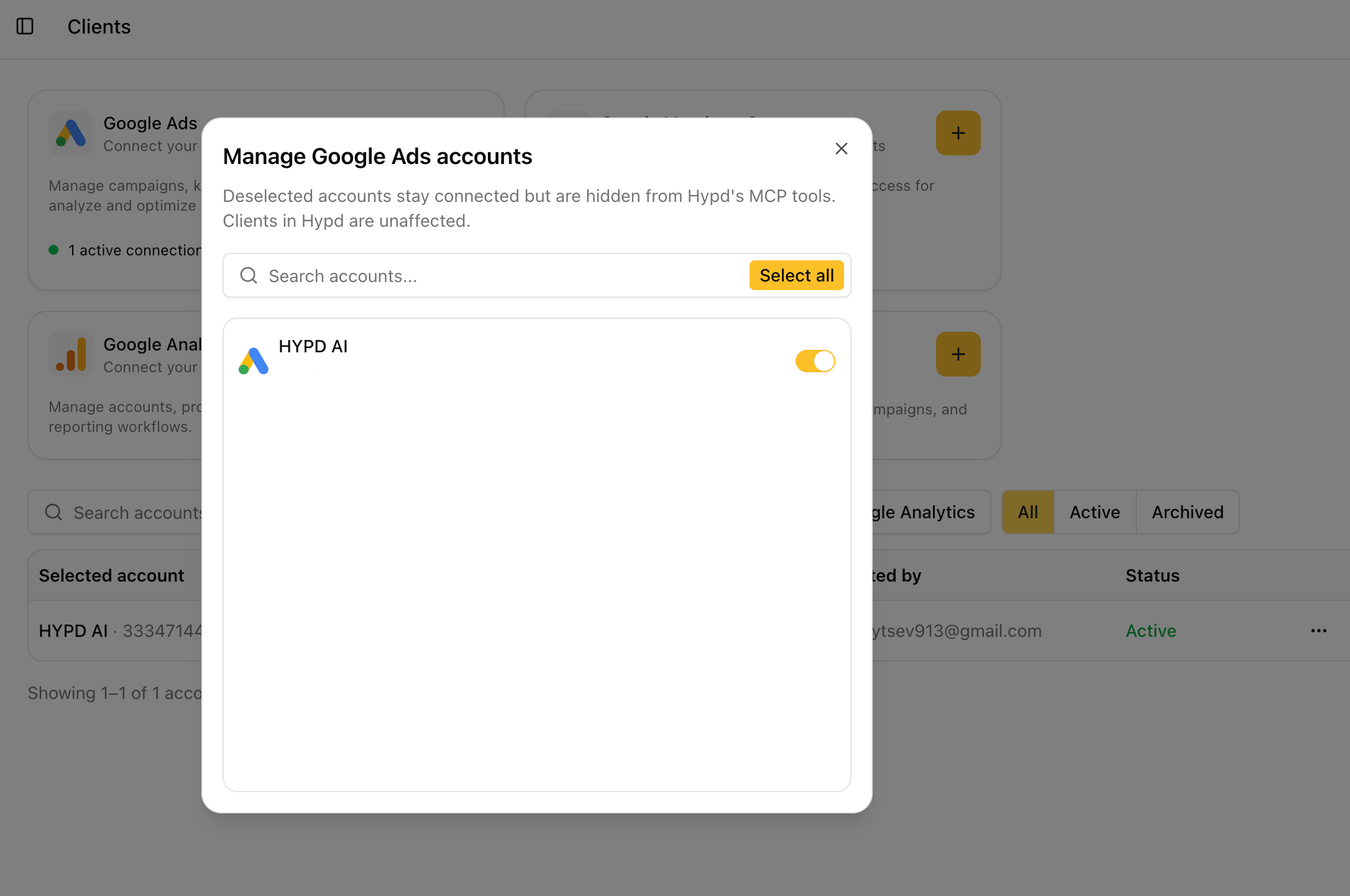
Deselected accounts stay connected. Nothing is disconnected or lost. They’re just hidden from HYPD’s tools. Clients in HYPD are unaffected.